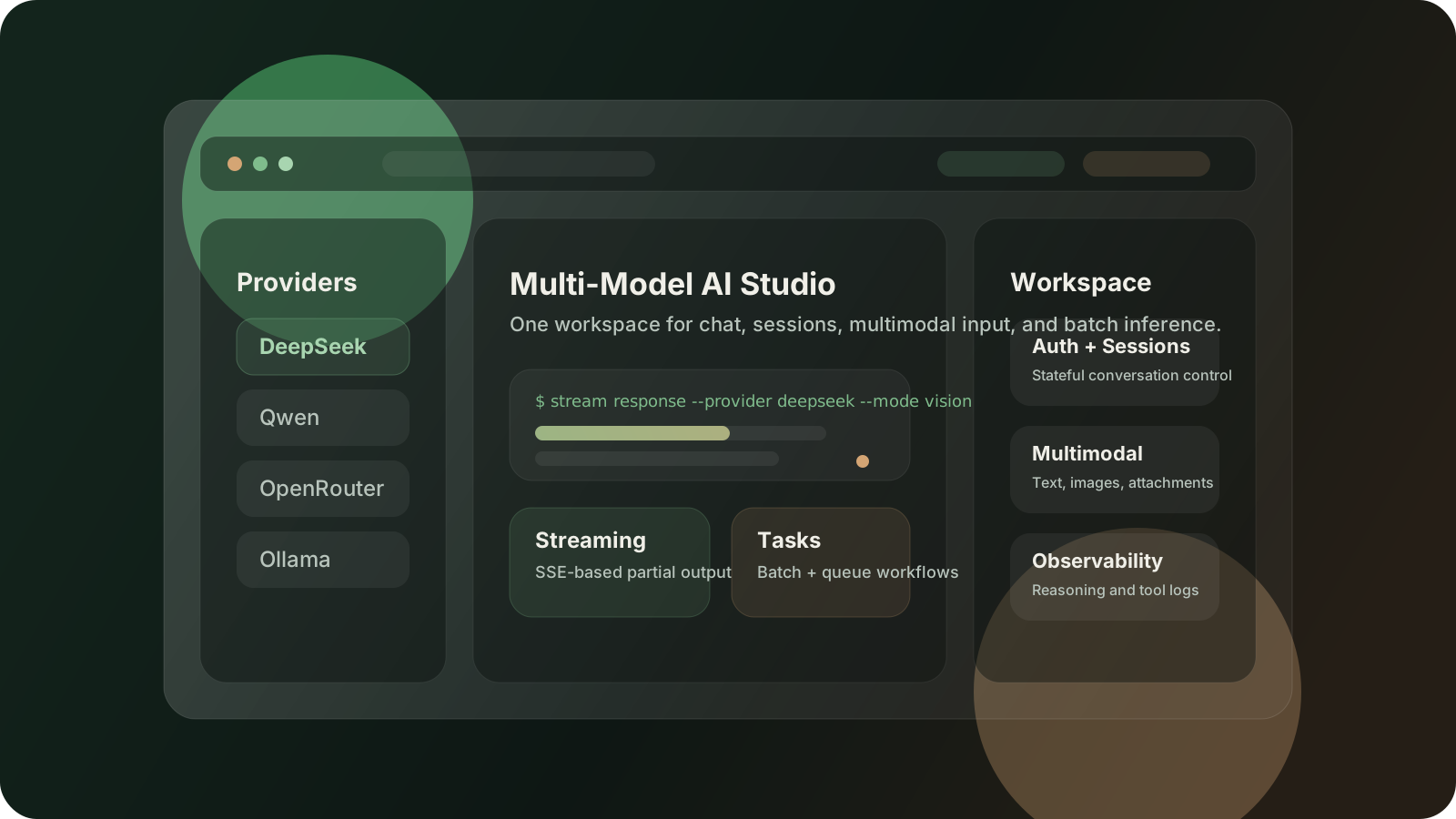
Multi-Model AI Studio
A full-stack AI workspace that unifies hosted and self-hosted models across chat, configuration, streaming responses, multimodal input, and batch inference.
This case study is written for recruiter and hiring-manager readability: it focuses on product shape, system design, and engineering decisions instead of notebook-style implementation notes.
Overview
Multi-Model AI Studio is a full-stack AI workspace designed to solve a practical product problem: teams want to compare and use multiple model providers without rebuilding the same chat UI, session layer, and configuration surface for each one.
Instead of treating every provider as a separate integration project, I framed the product around a single operator experience:
- switch across hosted and self-hosted models from one interface
- keep chat history and configuration in the same workspace
- support multimodal input and streaming output
- expose both single-run interaction and batch-style workflows
Visual Snapshots
What I Built
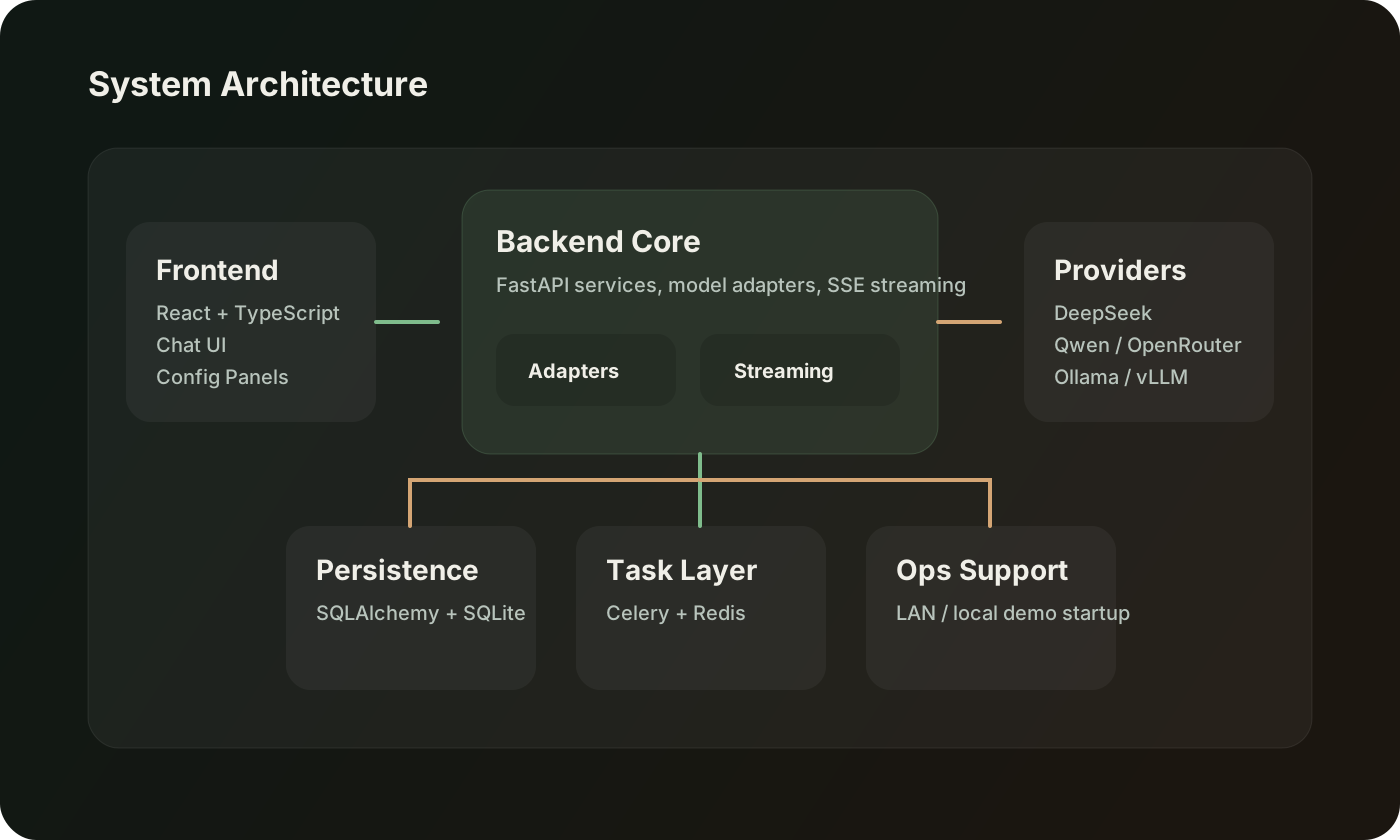
The system combines a React and TypeScript frontend with a FastAPI backend and a lightweight persistence plus task orchestration layer.
Product Surfaces
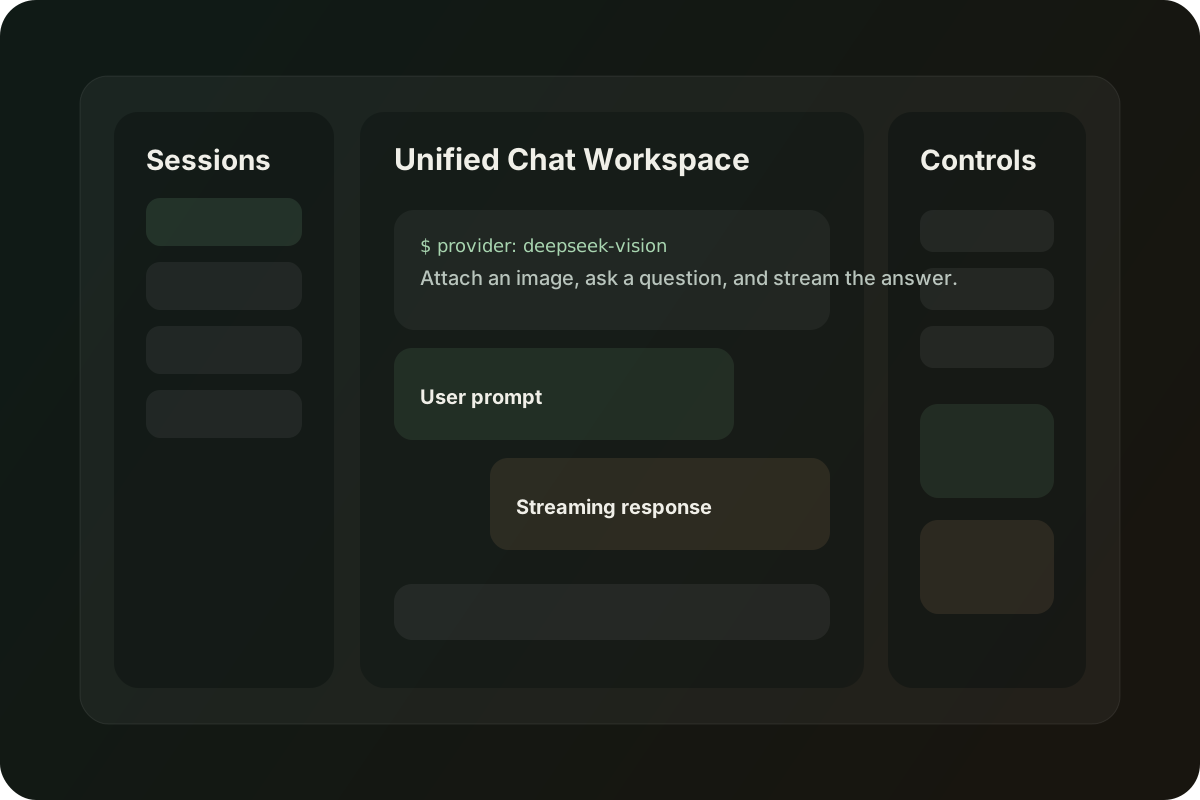
- a unified chat workspace for hosted and local models
- configuration panels for provider and runtime settings
- session history and stateful conversation management
- reasoning and tool-use visibility for debugging and demos
- batch-oriented flows for repeated inference tasks
Engineering Surfaces
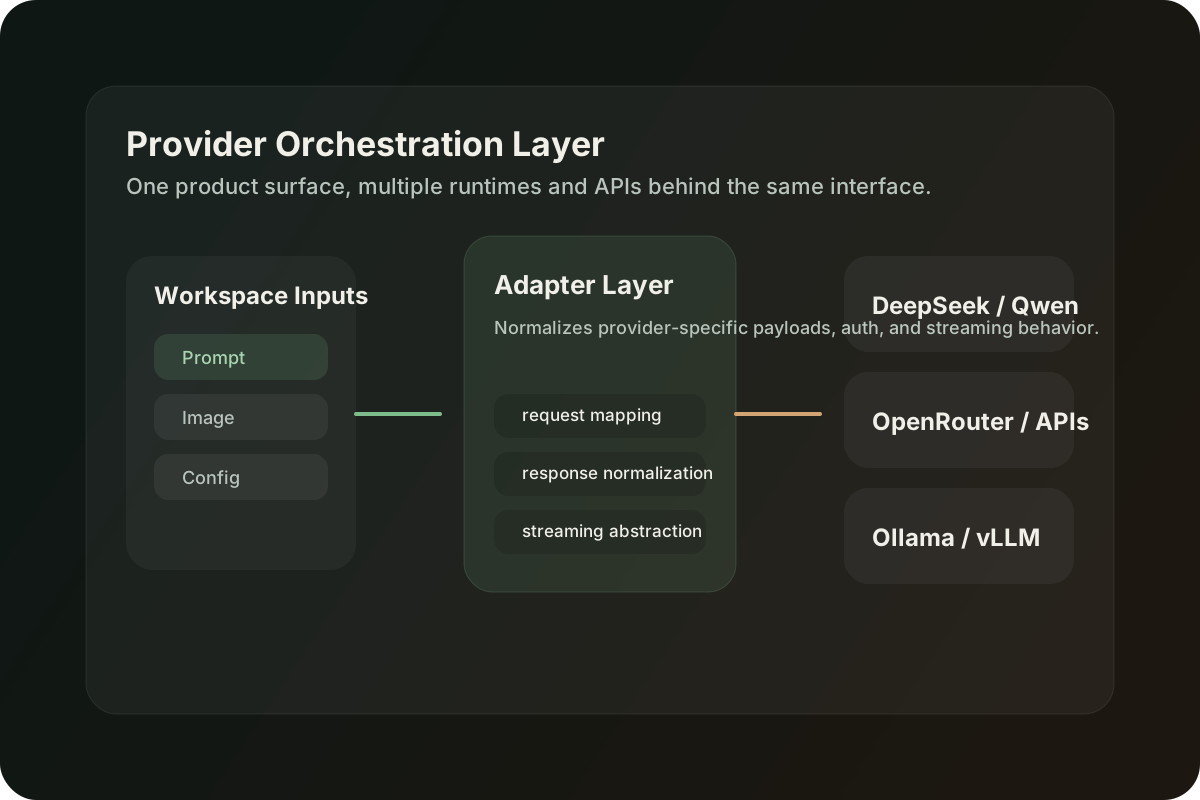
- adapter-based model integration to normalize provider differences
- SSE-based streaming responses for better perceived latency
- SQLAlchemy and SQLite for lightweight data persistence
- Celery and Redis for background work and queueable tasks
- LAN-friendly startup flows for localhost and remote-IP demos
Why This Project Matters
For hiring teams, the value of this project is not just “I can call an LLM API.” It shows that I can turn AI capability into a usable product surface:
- a real frontend instead of a notebook-only demo
- a backend that manages sessions, config, and state
- cross-provider abstraction rather than a single hard-coded model
- operational thinking around streaming, tasks, and deployment setup
That makes it much closer to an actual applied AI product than a one-off prototype.
Interaction Design
The main UX principle was to make model switching feel lightweight instead of disruptive. Users should not have to relearn the interface every time they move from one provider to another.
So the product keeps the interaction pattern stable while the model backend changes behind the scenes:
- choose a provider or local runtime
- configure the task and model settings
- send chat or multimodal input
- stream the response in real time
- inspect reasoning or tool traces when needed
This makes the app useful for both experimentation and demonstrations.
System Architecture
The backend is organized around a unified service boundary rather than provider-specific pages. That keeps the platform easier to extend as new APIs or runtimes are added.
Core Components
- Frontend workspace for chat, sessions, configuration, and response rendering
- Adapter layer to normalize cloud APIs and self-hosted runtimes
- Streaming service to push partial outputs back to the client with SSE
- Persistence layer for session and configuration state
- Task layer for queued or background inference workflows
When this project is deployed publicly, the most useful live-demo mode is a guarded playground: one or two sample providers, capped request volume, and preloaded prompts that let visitors experience the product without exposing sensitive keys or uncontrolled spend.
Best Demo Format for This Project
If I present this project on a portfolio site, I would expose it in three layers:
- a visual project card on the homepage
- a recruiter-friendly case study like this page
- a trimmed public sandbox for safe hands-on trial
That combination works better than showing only a GitHub repo or only a screenshot, because visitors can both understand the system and interact with it.
Live Preview
The embedded preview below is designed for portfolio visitors. It simulates provider switching, multimodal input, and streaming response behavior inside the site, so recruiters can experience the shape of the product even before a fully hosted sandbox is exposed publicly.
Try the product flow
This is a guided preview embedded in the portfolio site. It simulates provider switching, multimodal input, and streaming response behavior so visitors can feel how the studio works before trying a full deployment.
Model provider
Hosted reasoning and multimodal workflows
Preset workflow
Prompt input
Text modePreview output
Streaming session
What This Project Signals
- full-stack execution across React and FastAPI
- product thinking around model abstraction and usability
- AI application engineering beyond notebook experiments
- enough systems awareness to support streaming, tasks, and deployment setup
For the kinds of AI engineer roles I am targeting, this is one of the clearest “flagship” projects in the portfolio.