Structured Extraction and Retrieval QA Platform
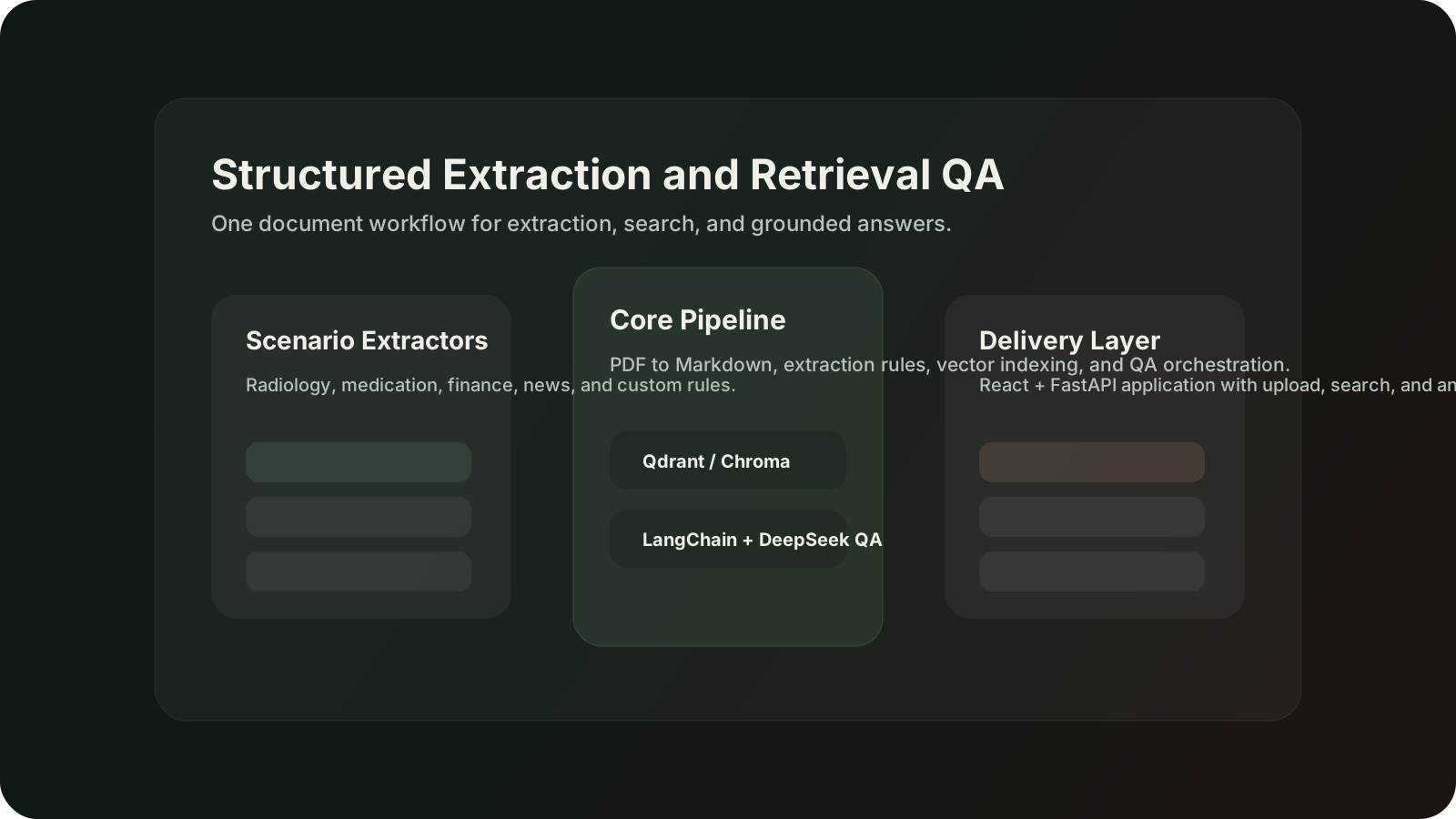
A document intelligence platform that combines structured extraction, vector search, and grounded QA across radiology, medication, finance, and news workflows.
The signature feature of LangExtract — Google's open-source library wrapped in this project — is that every extraction carries its char_interval back to the source. Two real notebook texts (a 2025-12-22 news brief and the Romeo & Juliet few-shot) are highlighted live, with hover-to-see-offset.
Why this local version exists
The text, extraction categories, attributes, and lx.extract config (extraction_passes=3, max_workers=20, max_char_buffer=1000 for the long-doc preset) are taken verbatim from 案例13 notebook Agentic-GraphRAG应用开发实战.ipynb (cells 66, 88, 107, 111). char_interval positions are resolved against the source string at module load — so the highlights you see are real offsets, not stylized markers.
Real scenarios shipped in backend/app/scenarios/
The project actually ships 7 BaseScenario subclasses — each defining extract_classes, get_prompt(), get_examples(), and get_samples(). The three highlighted below (radiology / medication / news) are lifted verbatim from the project's source; extraction positions are computed against the actual string so the highlights are real char offsets, not styling.
Production scenarios (toggle to switch)
Source · rad_sample_2 · 胸部X光报告
Hover any highlighted span: tooltip shows char_interval [start-end] plus the real attributes returned by lx.data.Extraction(extraction_class, extraction_text, attributes). For the 药物信息 scenario notice the medication_group attribute — it's the project's trick to link 药物 ↔ 剂量 ↔ 频率 ↔ 用法 ↔ 疗程 for the same drug.
lx.extract config (per scenario)
extraction_passes
1
multi-pass recall
max_workers
1
parallel chunks
max_char_buffer
1500
chunk size
All 7 scenarios shipped in repo
scenarios/radiology.pyscenarios/medication.pyscenarios/news.pyscenarios/finance.pyscenarios/medical.pyscenarios/customer_service.pyscenarios/sales.pyThree (highlighted) are wired into this preview. Adding a new scenario means subclassing BaseScenario — the base class lives at app/scenarios/base.py.
Extractions on this excerpt
胸部X线检查报告
attributes = {"类型":"X线"}
咳嗽1周,发热
attributes = {"类型":"主诉"}
胸部正侧位片
attributes = {"方法":"正侧位片"}
两肺纹理清晰
attributes = {"部位":"两肺","significance":"normal"}
右下肺野见斑片状模糊影,边界不清
attributes = {"部位":"右下肺","significance":"significant"}
心影大小形态正常
attributes = {"部位":"心脏","significance":"normal"}
右下肺感染性病变可能
attributes = {"序号":"1"}
建议结合临床及实验室检查,必要时CT进一步检查
attributes = {"类型":"后续检查"}
Real backend layout · LangExtractApp/backend/app/
main.py
FastAPI entry · uvicorn app.main:app --reload --port 8000
config.py
Settings: deepseek_api_key · vector_store_backend (chroma/qdrant) · dashscope_api_key (embeddings) · mineru_api_key (PDF OCR)
api/routes.py
8 endpoints: /health · /scenarios{,_id,/samples} · /extract · /cache/{stats,delete}
api/rag_routes.py
12 endpoints under /rag: pdf/{parse,upload,task/:id} · search · qa · qa/stream · chat · documents · extractions · stats · init
core/extractor.py
Extractor.extract(text, scenario_id, use_cache) · wraps lx.extract(fence_output=True, use_schema_constraints=False) · builds segments grouped by class with intervals[]
services/{vector_store,vector_store_chroma}.py
Real Qdrant ↔ Chroma switch · controlled by VECTOR_STORE_BACKEND env · same DocumentChunk schema
services/pdf_parser.py
MinerU API client · /rag/pdf/upload supports 200MB / 600 pages · markdown chunked by paragraph then indexed
services/qa_agent.py
LangChain Agent over the vector store · uses DeepSeek-chat · sources returned per answer span
scenarios/base.py
BaseScenario abstract class + ScenarioRegistry · the 7 subclasses register at import time
POST /rag/pdf/upload — production flow seen in rag_routes.py:197-319
- 1. validate .pdf + size ≤ 200MB
- 2. PDFParser.parse_uploaded_file(content, filename, model_version="vlm"|"pipeline", timeout=600) → MinerU returns markdown
- 3. markdown.split("\n\n") → DocumentChunk[paragraph_index, source="pdf_upload"]
- 4. vector_store.add_chunks(chunks) → routed to Chroma (chroma_db/) or Qdrant by VECTOR_STORE_BACKEND
- 5. optional: if extract_after_parse + scenario → run Extractor over the markdown → return extractions[] with char_interval
- 6. response: PDFParseResponse(success, task_id, markdown, source, parse_time, extractions[])
MinerU (PDF→Markdown)
POST /rag/pdf/upload · 200MB/600p · vlm or pipeline mode
LangExtract
7 scenarios · source grounding · cache.py de-dupe
Vector store (Qdrant or Chroma)
real env-switch: VECTOR_STORE_BACKEND=chroma|qdrant
DashScope embeddings
Tongyi/通义 embedding API for chunk vectors
QAAgent (LangChain)
/rag/qa + /rag/qa/stream + /rag/chat (multi-turn)
ScenarioRegistry · how the 7 scenarios self-register
class BaseScenario(ABC):
    name: str = "基础场景"
    description: str = "场景描述"
    extract_classes: List[str] = []

    @abstractmethod
    def get_prompt(self) -> str: ...
    @abstractmethod
    def get_examples(self) -> List[lx.data.ExampleData]: ...
    def get_samples(self) -> List[Dict[str, str]]: return []

class ScenarioRegistry:
    _scenarios: Dict[str, Type[BaseScenario]] = {}

    @classmethod
    def register(cls, scenario_id, scenario_class): ...
    @classmethod
    def get(cls, scenario_id) -> BaseScenario: ...   # 抛 ValueError 未注册
    @classmethod
    def list_all(cls) -> Dict[str, Dict[str, Any]]:  # 给 /scenarios 端点用
        ...
新场景 = 写 1 个 BaseScenario 子类 + 在模块顶层调一次 ScenarioRegistry.register("scenario_id", MyScenario) 即可。/scenarios 端点直接返回 list_all() 结果。
Qdrant vs Chroma · same interface, 2 deploy modes
| aspect | VectorStore (Qdrant) | ChromaVectorStore |
|---|---|---|
| deploy mode | remote / :memory: fallback | local persistent only (chroma_db/) |
| env var | QDRANT_URL + QDRANT_API_KEY | CHROMA_PERSIST_DIR |
| client | qdrant_client.QdrantClient | chromadb.PersistentClient |
| distance | models.Distance.COSINE | hnsw:space=cosine (metadata) |
| recreate logic | init_collection(recreate=True) 删 + 重建 | 删 collection + _init_collection() |
| embeddings | DashScope text-embedding-v4 · chunk_size=10 | 同上 · 同一 OpenAIEmbeddings 实例 |
| filter API | models.Filter / FieldCondition | where={"doc_id": {"$eq": ...}} |
DocumentChunk dataclass & add_chunks() / search() / delete_by_doc_id() 的方法签名两边完全一致 — rag_routes.py 才能在backend.lower() == "chroma" 处分支无缝切换。
QAAgent · services/qa_agent.py · 4 entry methods
search_context(query, top_k=5)vector_store.search → List[{doc_id, doc_title, content, score, ...}]
format_context(results)拼成 "[来源 N] ..." 多段文本喂给 prompt
build_prompt(question, context, structured=True)system: 「不要在回答中提及来源/文档/参考字眼,直接陈述」 + structured: 「总结一句 → • 分点带【关键词】 → 简短结论」
answer / answer_stream / chatanswer 一次性 LLM invoke;answer_stream 用 llm.stream 流式 yield;chat 多轮对话注入历史 messages
response 包 {success, question, answer, sources[{doc_id, doc_title, content_preview, score}], context_count} — sources 总是带回,前端可独立渲染「来源溯源」面板(即使 system prompt 让模型自己不要主动提及)。
What to try
Hover any highlighted span — the tooltip shows the actual char_interval [start-end] that lx.extract returns.
Switch between the news brief (6 entity classes, 16 extractions) and the Romeo & Juliet excerpt (3 classes with attributes per extraction).
Read the lx.data.ExampleData few-shot code panel — it is the verbatim few-shot you would pass to lx.extract().
What this demo proves
You understand why source grounding (char_interval) matters — auditability for medical / legal / compliance scenarios.
You know LangExtract's scaling levers: extraction_passes for recall, max_workers for throughput, max_char_buffer to balance context and accuracy.
You design Agentic-GraphRAG as OCR → LangExtract → KG + vector → LangChain Agent — the four real stages from the notebook, not a one-trick demo.
Core library
LangExtract (Google open-source) · DeepSeek API via OpenAILanguageModel
Long-doc preset
罗密欧与朱丽叶 54k chars → 1,889 extractions · 3 passes · 20 workers
Pipeline
OCR (MinerU / PaddleOCR-VL / DeepSeek-OCR) → LangExtract → KG + vector → LangChain 1.1 Agent